
Working with NX, Railway and CI/CD
Introduction
This article will show you how to properly deploy an NX project on Railway, an infrastructure platform that handles all the system administration and DevOps tasks for you.
Additionally, we will configure Github Actions such that it deploys only those projects that have been affected by the change pushed.
Premise
Though the builder might have support for NX monorepos, it is often unclear how to integrate your Github Actions perfectly with Railway deployments.
The default strategy of deploying every commit is also rather wasteful since it ends up rebuilding projects that were not even affected by the change.
Example project
We will use this project and deploy it to Railway. We will deploy the
remix-pagination-demo
project in this tutorial. Let us assume we deploy it to two separate environments - main
and dev.
Deployment strategy
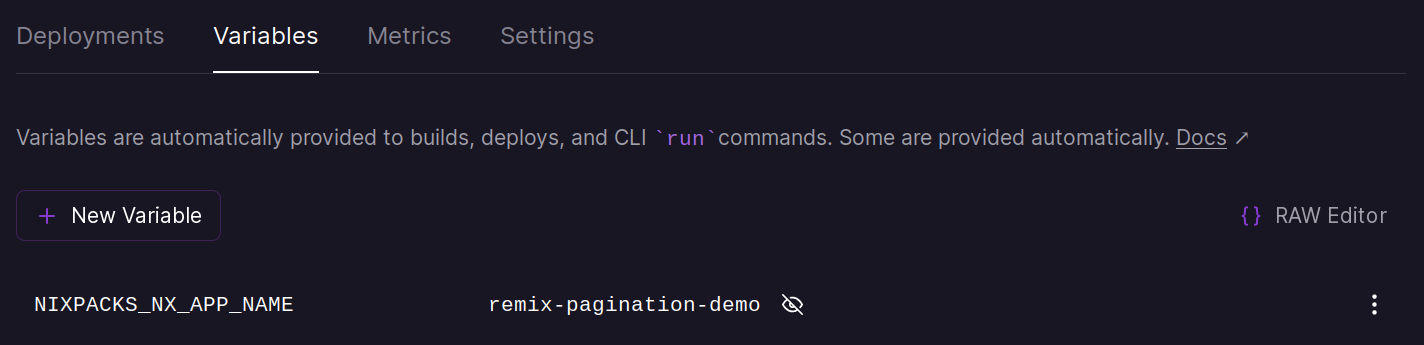
Nixpacks, which is Railway’s default builder, supports NX monorepos. To get it
working, I just had to set NIXPACKS_NX_APP_NAME environment variable to
remix-pagination-demo.
NOTE: The deployment strategy does not really matter. You can use whatever you want (Buildpack, Nixpacks or Dockerfile etc). As long as Railway supports it, the below steps will work.
Steps
Create the Railway project and provision the required addons and add the correct environment variables. Also create the required environments.
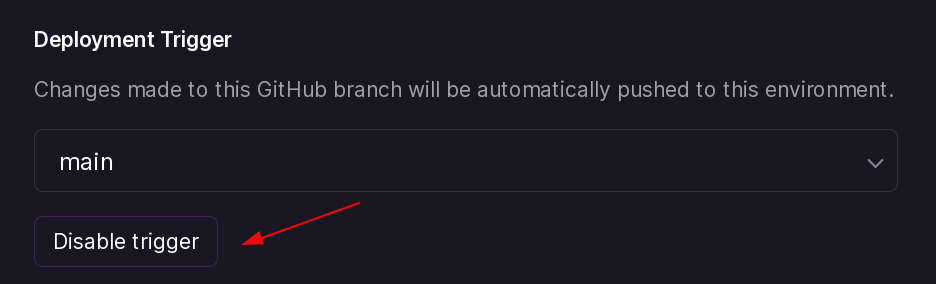
Disable Github trigger
Once the first deployment is live, we will disable Github triggers. This will instruct Railway to not create a new deployment every time we push a commit to Github.
Create project tokens
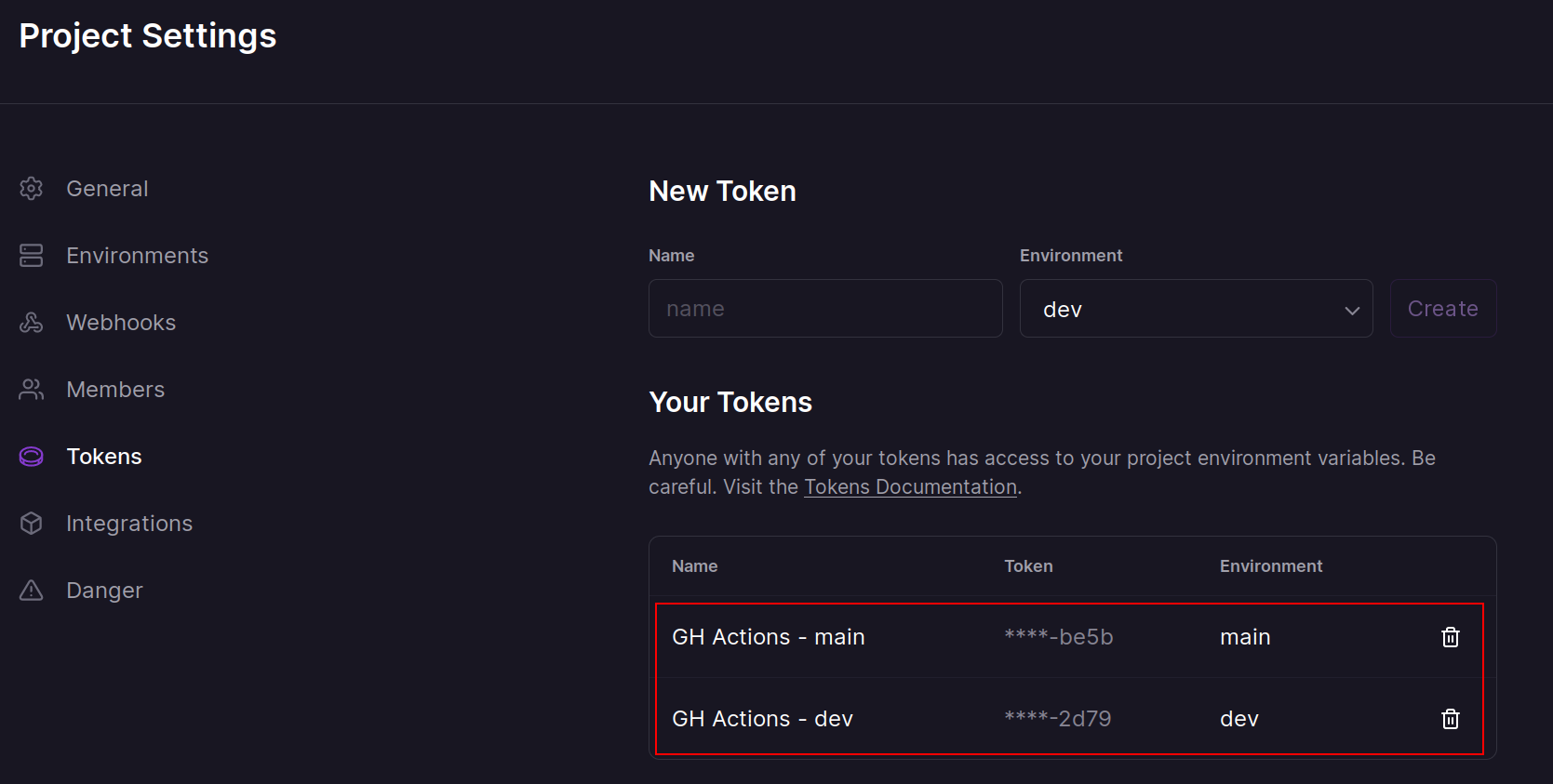
Next we will need to create two project tokens (one for each environment). For this example, I have created two tokens and named them appropriately.
Add repository secrets
We will use the above tokens we created and add them as repository secrets. They should have the following naming scheme:
RAILWAY_TOKEN__<project_name>_<railway_environment>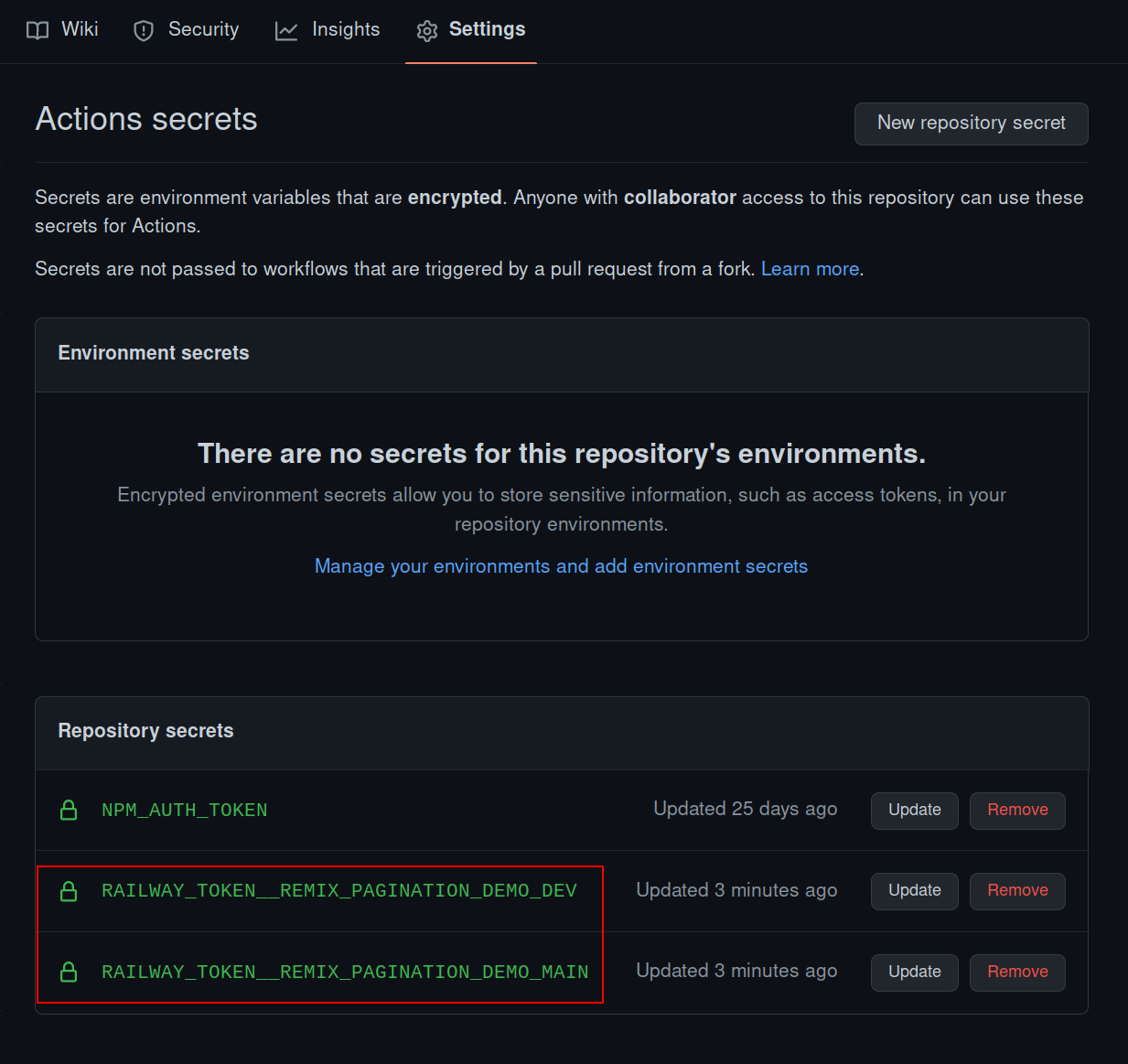
The Github action
This is a workflow that will run on every commit to the main and dev branches, test if
a particular project has been affected, and if so, then deploy it to the correct
environment on Railway.
name: Deploy affected projects

on:
  push:
    branches:
      - main
      - dev

env:
  NX_CLOUD_ACCESS_TOKEN: ${{ secrets.NX_CLOUD_ACCESS_TOKEN }}

jobs:
  publish:
    runs-on: ubuntu-latest
    steps:
      - uses: actions/checkout@v3
        with:
          fetch-depth: 0

      - uses: ./.github/actions/setup
        name: Setup environment

      - name: Set base commit hash
        run: |
          #!/usr/bin/env bash
          commit=${{ github.event.before }}
          if git branch --contains "$commit"; then
            echo "No force push detected, continuing..."
          else
            # get the commit before this one
            commit=$(git log --format="%H" -n 2 | tail -n 1)
          fi
          echo "BASE_COMMIT=$commit" >> $GITHUB_ENV

      - name: Display base commit
        run: echo "$BASE_COMMIT"

      - name: Lint affected
        run: pnpm nx affected --target=lint --parallel=6 --base=$BASE_COMMIT --head=HEAD

      - name: Build affected
        run: pnpm nx affected --target=build --parallel=6 --base=$BASE_COMMIT --head=HEAD

      - name: Dump access secrets into file
        run: |
          mkdir -p ./dist
          echo '${{ toJSON(secrets) }}' >> ./dist/secrets.json

      - name: Deploy affected
        run: ./deployment/railway-trigger.sh
I am not including the .github/actions/setup/action.yaml file for the sake of brevity,
but it is needed for this workflow to run successfully. You can copy it from the
example repository.
-
Dump access secrets to filestepThis converts the secrets into json format and dumps them into a file. This can be a potentially exploitable step if used in public repositories, so please make sure you take the appropriate cautions.
-
Deploy affectedstepLet us have a look at the
railway-trigger.shscript:#!/usr/bin/env bash set -euo pipefail RAILWAY_BINARY="/tmp/railway" RAILWAY_VERSION="1.8.4" # Install the Railway CLI VERSION="$RAILWAY_VERSION" INSTALL_DIR="$RAILWAY_BINARY" sh -c "$(curl -sSL https://raw.githubusercontent.com/railwayapp/cli/master/install.sh)" $RAILWAY_BINARY version affected_projects=$(pnpm nx print-affected --base="$BASE_COMMIT" --head=HEAD --select=projects --type='app') for project in ${affected_projects//,/ } do echo "Processing: '$project'..." # convert hyphens to underscores parameterized_name=$(echo $project | tr '-' '_') branch_name="$(git branch --show-current)" # this is the key by which the required token is present in the secrets file env_variable=RAILWAY_TOKEN__"$parameterized_name"_"$branch_name" # convert the whole thing to upper case final_env_variable=$(echo "$env_variable" | awk '{print toupper($0)}') # get the actual value of the token from the secrets file railway_token="$(jq -r ."$final_env_variable" ./dist/secrets.json)" # trigger the deploy RAILWAY_TOKEN="$railway_token" $RAILWAY_BINARY up --detach --verbose doneThe above script:
- Downloads the Railway CLI binary.
- Finds all the deployable projects that were also affected by the changes pushed.
- Does some bash trickery to find the correct railway token.
- Sets the
RAILWAY_TOKENenvironment variable and then triggers a deploy.
The
--detachflag is used here because building containers might take a lot of time which could eat up free Github Actions quota provided. You can remove it if your project allows it.
Conclusion
That is pretty much it. It is a pretty simple workflow, but somewhat complicated to compose. If you need help, you can ask the community.